For rent
Apartment Veldekestraat, Breda - For Rent
4819 ER (Breda - Noord-Brabant)
36 m²3 roomsShellEnergy label C
€716/ month + €32.88 service costs
About This Rental in Breda
Spacious 2-bedroom apartment with balcony in Breda Zuid
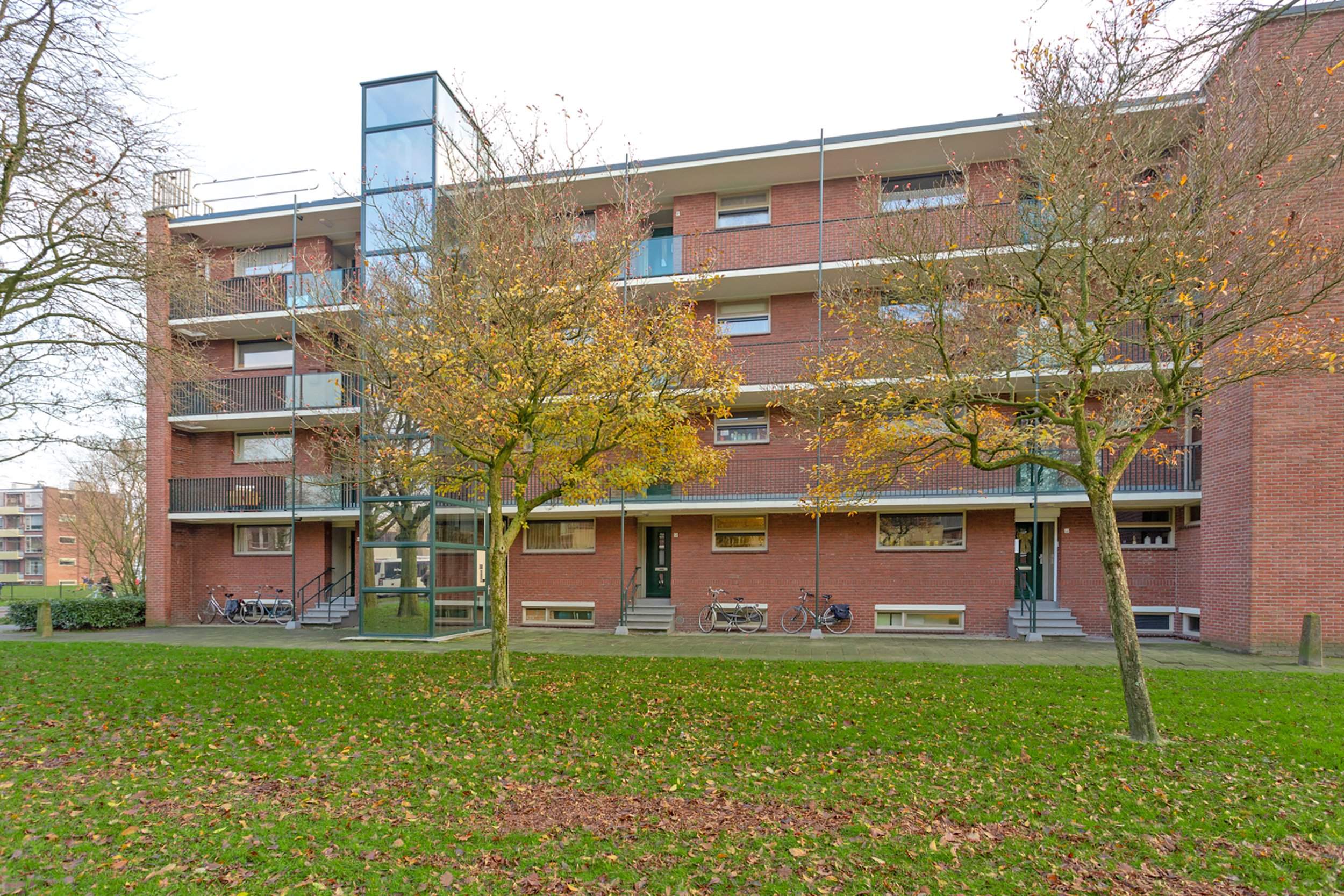
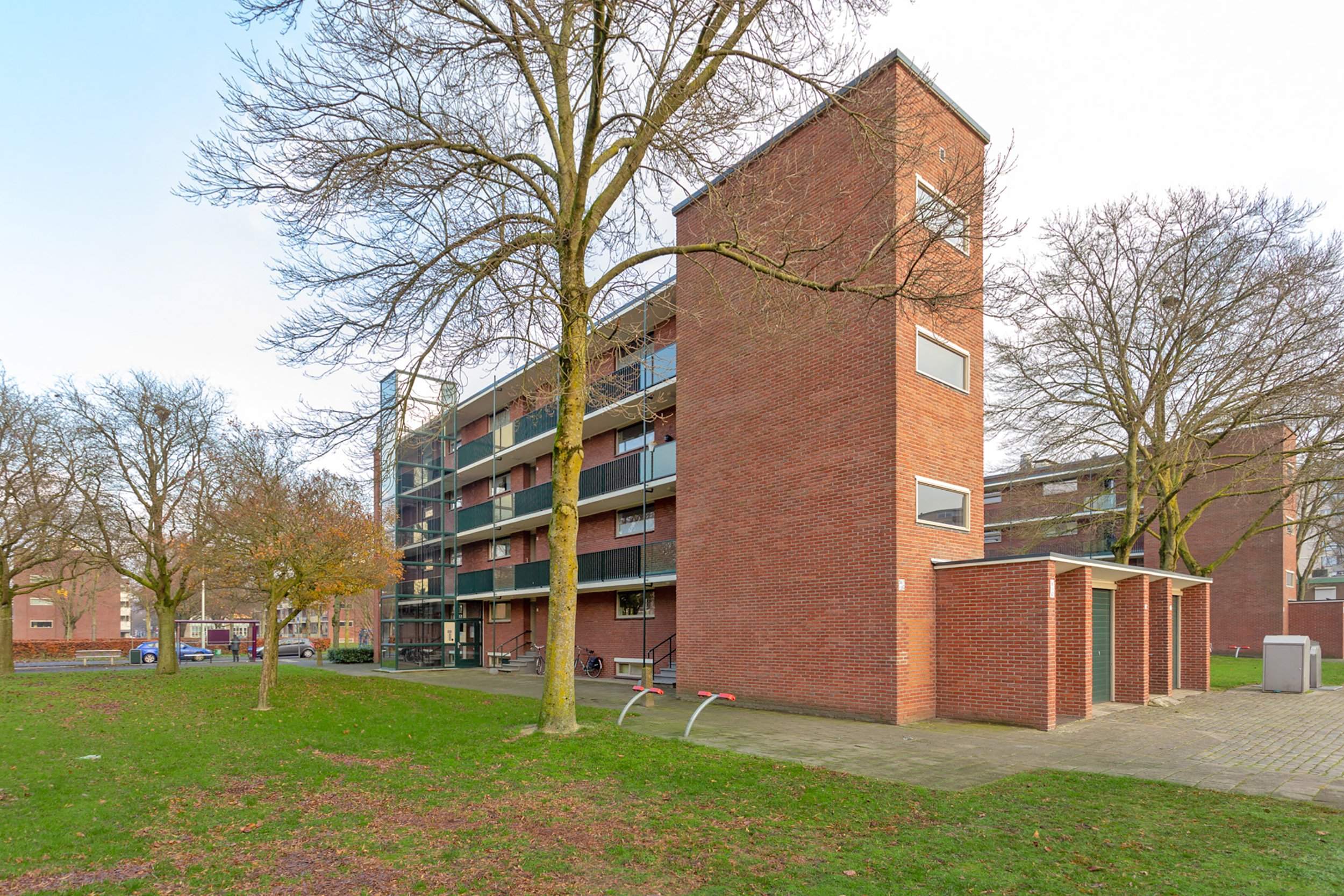
This apartment is located on the 3rd floor of a building in Veldekestraat, Breda. The property has a total living area of approximately 29 m² for the living room and two bedrooms of 9 m² and 7 m² respectively. The apartment is part of a complex with an elevator and is categorized under energy label C with an energy index of 1.44. The complex is situated in a quiet residential area, with shopping facilities within walking distance, making it ideal for one or two-person households. The neighborhood is characterized by its residential nature and is located in Breda Zuid.
The apartment features a closed kitchen, a balcony, and storage facilities. The total rental price is € 715.84, which includes service costs such as electricity for common areas, glass fund, sewage maintenance, and cleaning of common areas. The base rent is € 682.96, and the service costs amount to € 32.88. The property is available for rent from 17-12-2025.
While the apartment is considered to be in a good condition, it is worth noting that it may be somewhat noisy due to its construction, so careful consideration should be given to the type of flooring used. Additionally, the apartment is designed for electric cooking. The allocation of this apartment may deviate from the standard income table used by the landlord.
The apartment is presented by a professional real estate agent, ensuring a smooth rental process. For more detailed information and to schedule a viewing, please refer to the contact details provided by the agent.
Property Details & Features
Rental Overview
Price
€716.00
Service Costs
€32.88
Available From
December 17, 2025
Outdoor Spaces
Balcony
Parking, Storage, and Facilities
Building Facilities
Elevator
Storage Present
Property Basics
Property Type
Apartment
Floor Number
3
Interior Spaces
Bedrooms
2
Kitchen Type
Separate
Cooktop Type
Electric
Rental price trends in Breda
Month-by-month overview of 3-room rental listings in Breda. Compare the current listing to the local market average to see if it’s priced fairly.
Current listing price
€716
44.0% lower than averageMarket average (3 rooms, Breda)
€1,280
Calculated from 30 listings last monthLocation & Surroundings in Breda
Top Neighborhoods to Live in Breda
Discover the most sought-after neighborhoods in Breda, perfect for finding your next Dutch rental. Explore the boroughs and areas locals love most.
Discover the most sought-after neighborhoods in Breda, perfect for finding your next Dutch rental. Explore the boroughs and areas locals love most.
Similar Apartments for Rent in Breda
Frequently asked questions
Does the displayed rent include utilities and service costs?
Not necessarily. Luntero shows the price and cost details supplied by the listing source, but inclusions vary by property. Check the full cost breakdown on the original source before applying, including service costs, gas, electricity, water, internet, parking, and any one-off fees.
Which documents will I need to apply?
Requirements are set by the landlord or listing provider, not Luntero. The original listing or application form should give the definitive checklist. It may include identification, proof of income or employment, student documents, or guarantor information, but do not send sensitive documents until you have checked who is requesting them and why.
Can Luntero tell me the status of my application?
No. Applications are completed with the original listing provider, so Luntero cannot see whether your application was received, shortlisted, rejected, or invited for a viewing. Contact the provider through the details in your application confirmation or on the original listing page.
Can Luntero arrange a viewing or contact the owner for me?
No. Luntero does not own or manage the property and does not have a private contact channel to its owner. Use the original source button on the listing page to view the provider's application and contact options. If public owner or agency contact details are available, they are shown on the listing page.
Why do details sometimes differ from the original listing?
A provider may update or remove a listing after Luntero last collected it. The original source is the final reference for availability, price, conditions, and application instructions. If the pages disagree, rely on the source and report the Luntero listing so it can be reviewed.
Where do I find the original listing and application page?
Open the Luntero listing and look for the 'View listing' source buttons. They identify the platform the listing came from and open its original page in a new tab. Apply there; Luntero does not accept rental applications.
How do I report an unavailable, incorrect, duplicate, or suspicious listing?
Open the listing and select 'Report an issue'. Choose the closest reason and add any useful details. Reports help Luntero review its copy of the listing; for an urgent issue involving the application itself, also contact the original platform.