
This listing is no longer active
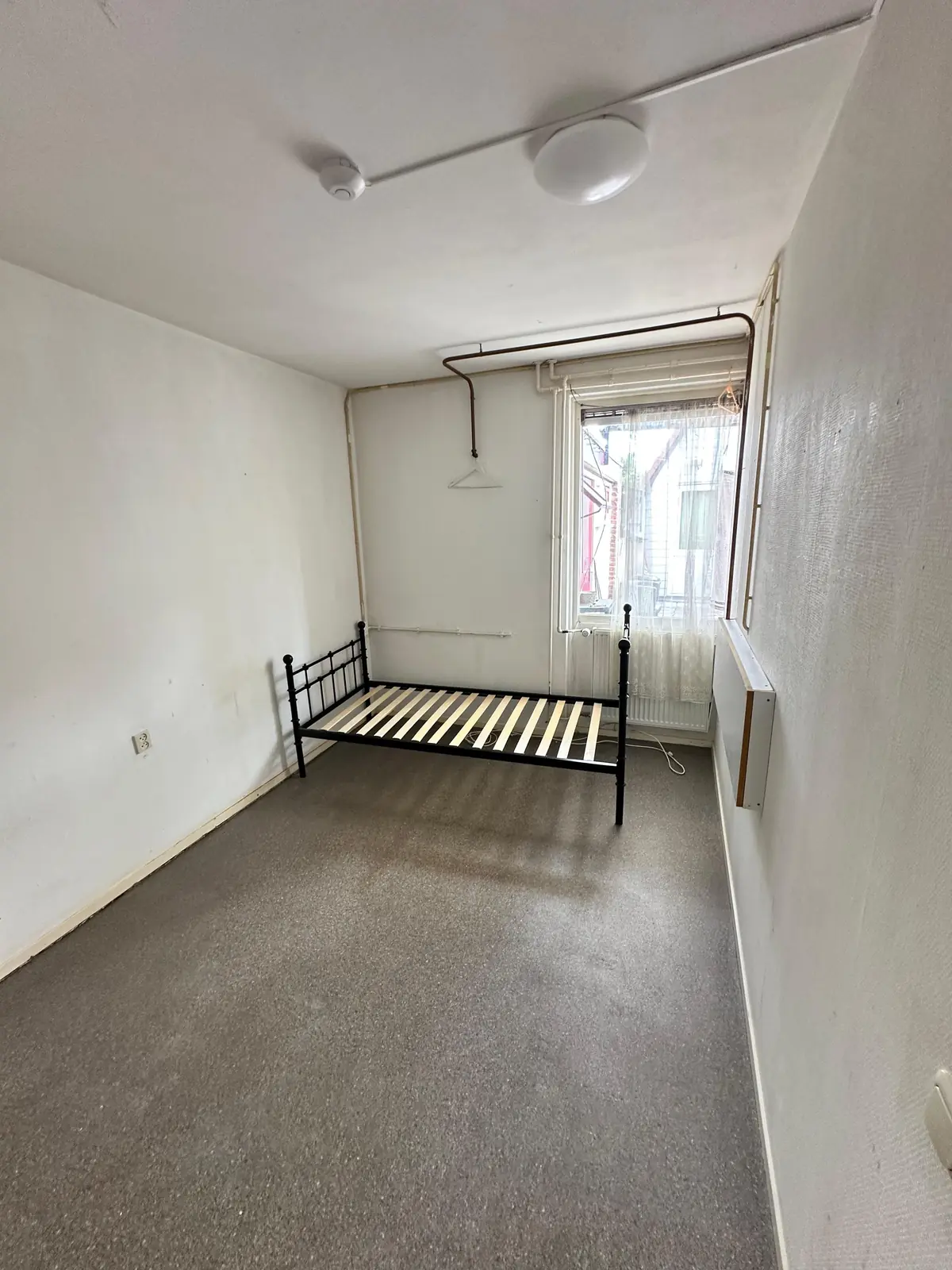
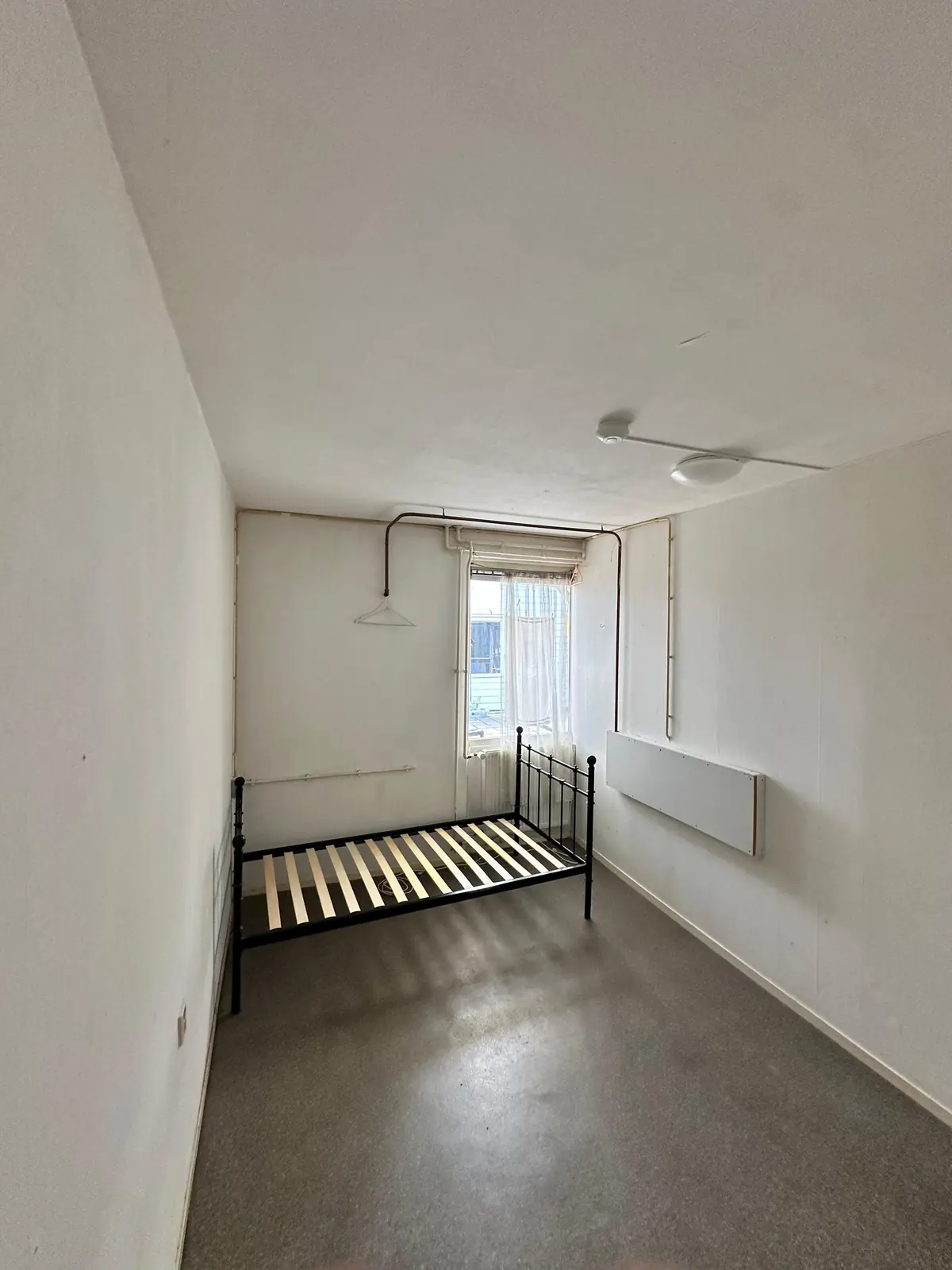
For rent
Room Venestraat, Nijkerk - For Rent
Nijkerk - Gelderland
11 m²1 roomShell
€799/ month
About This Rental in Nijkerk
Unfurnished Room to Rent in Central Nijkerk Near the Station
An unfurnished room of approximately 11 m² is available for rent on Venestraat in the centre of Nijkerk. The property is located within walking distance of the train station, making it convenient for commuters and students alike. The room is suitable for one person and is offered on an indefinite rental period. The monthly rent is €799, excluding utilities such as gas, water, electricity, and internet.
The room is part of a shared house, with access to a communal kitchen, bathroom, and toilet. There is no separate living room included in the property. A shared kitchen provides space for meal preparation, while the shared bathroom and toilet serve all residents of the house. Internet is available for an additional fee. The energy label of the building is not specified.
The property is located on Venestraat, a street situated in the central area of Nijkerk. This central location provides easy access to local shops, restaurants, and public transport connections, with the train station nearby. Pets are not permitted in the property, and the building does not feature an elevator, balcony, or dedicated parking. Furnishings are not included, allowing the tenant to arrange the room according to personal preferences.
The security deposit is €1,798, equivalent to approximately 2.3 months of rent. The landlord is a private owner. The ideal tenant is a single occupant, with no specific preference regarding gender, occupation, or languages spoken. Tenants aged between 16 and 99 are eligible, and the duration of stay is flexible. Viewings can be arranged by contacting the landlord directly to schedule a suitable date and time.
Property Details & Features
Rental Overview
Price
€799.00
Available From
September 7, 2026
Deposit Amount
€1,798.00
Parking, Storage, and Facilities
Shared Facilities
Kitchen
Bathroom
Property Basics
Property Type
Room
Interior Spaces
Bedrooms
1
Tenant Requirements & Preferences
Pets Allowed
No
Max Tenants
1
Minimum Age
16
Location & Surroundings in Nijkerk
Similar Apartments for Rent in Nijkerk
Frequently asked questions
Does the displayed rent include utilities and service costs?
Not necessarily. Luntero shows the rent and cost details supplied by the advertiser, but inclusions vary by property. Confirm the full breakdown with the publisher or on the original website before applying, including service costs, gas, electricity, water, internet, parking and any one-off fees.
Which documents will I need to apply?
The landlord or agency sets the requirements. Ask the publisher for the checklist, or follow the application instructions on an external listing’s original website. You may need identification, proof of income or employment, student documents or guarantor information. Check who is requesting sensitive documents and why before sending them.
Can Luntero tell me the status of my application?
No. Applications are handled by the advertiser, either through the contact details on a Direct listing or through an external provider. Luntero cannot see whether you were shortlisted, rejected or invited for a viewing. Ask the advertiser using the listing’s contact details or your application confirmation.
Can Luntero arrange a viewing or contact the owner for me?
No. Luntero does not own or manage the homes or arrange viewings. On a Direct listing, select “Contact publisher” to see the email and phone details provided. On an External listing, select “View original listing” for the provider’s contact and application options. Contact the advertiser yourself to arrange a viewing.
Why do details sometimes differ from the original listing?
For External listings, the provider may change or remove an advert after Luntero last collected it. Use the original website to confirm current availability, prices and application instructions. Direct listings are maintained by their publisher on Luntero; ask them to clarify any discrepancy. Report incorrect information on Luntero so it can be reviewed.
How do I contact the publisher or open the original listing?
The “Direct listing” label means the rental was published on Luntero. Select “Contact publisher” to see the supplied email and phone details. For rentals collected from other websites, select “View original listing” to respond there. Luntero does not receive rental applications or send enquiries for you.
How do I report an unavailable, incorrect, duplicate, or suspicious listing?
Open the listing and select “Report an issue”. Choose the closest reason and add useful details so Luntero can review the advert. For questions about your application or viewing, contact the publisher directly or the external provider you applied through.