For rent
Apartment Marsdiepstraat 451, Den Helder - For Rent
Den Helder
72 m²4 roomsShellEnergy label B
€782/ month
About This Rental in Den Helder
Cozy 3-Bedroom First-Floor Apartment with Balcony and Storage on Marsdiepstraat, Den Helder
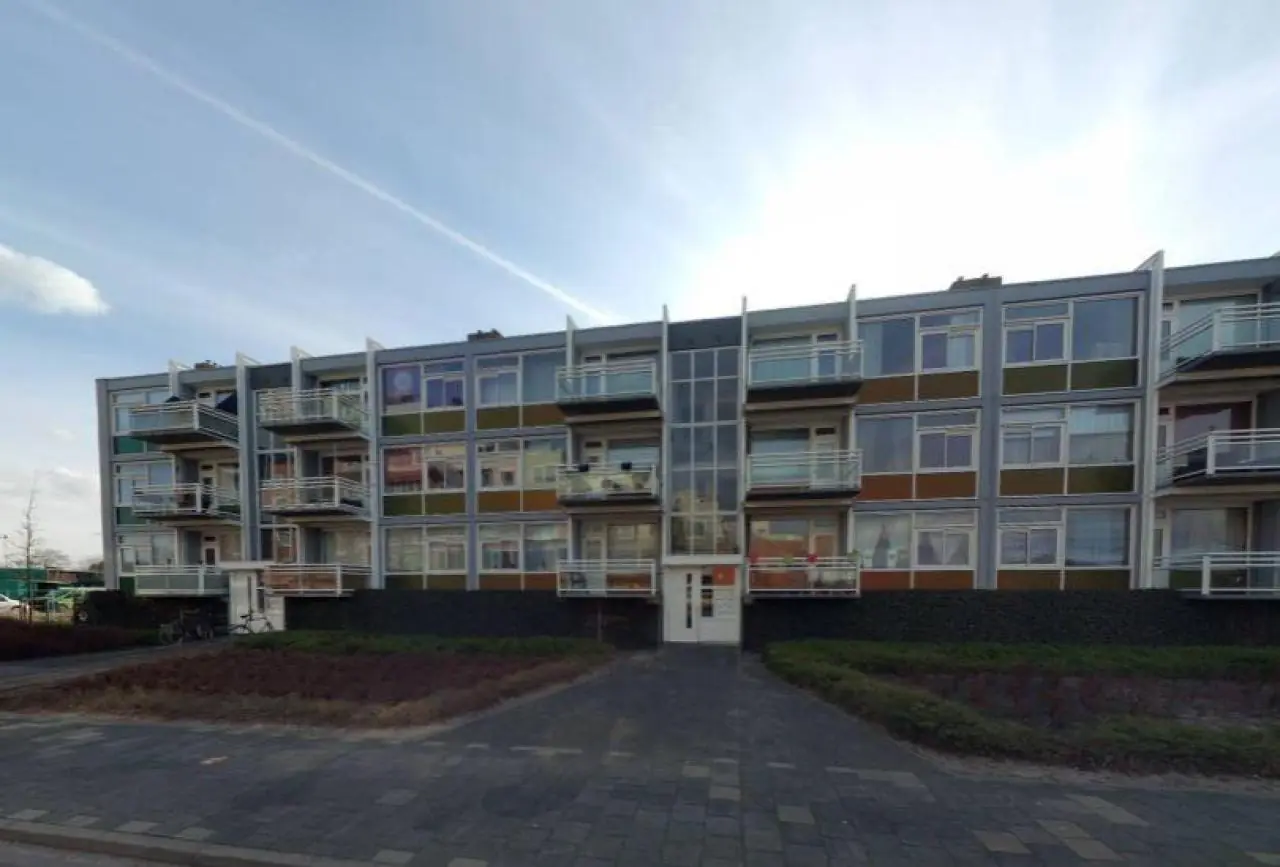
This first-floor apartment on the Marsdiepstraat in Den Helder offers approximately 71.8 square meters of living space with three bedrooms. The building was constructed in 1958 and the home carries energy label B. The apartment is situated on the first floor and is reached via a closed entrance. With a net monthly rent of €781.83 and service costs of €31.59, this residence presents a practical option for those seeking a multi-bedroom home in this coastal city.
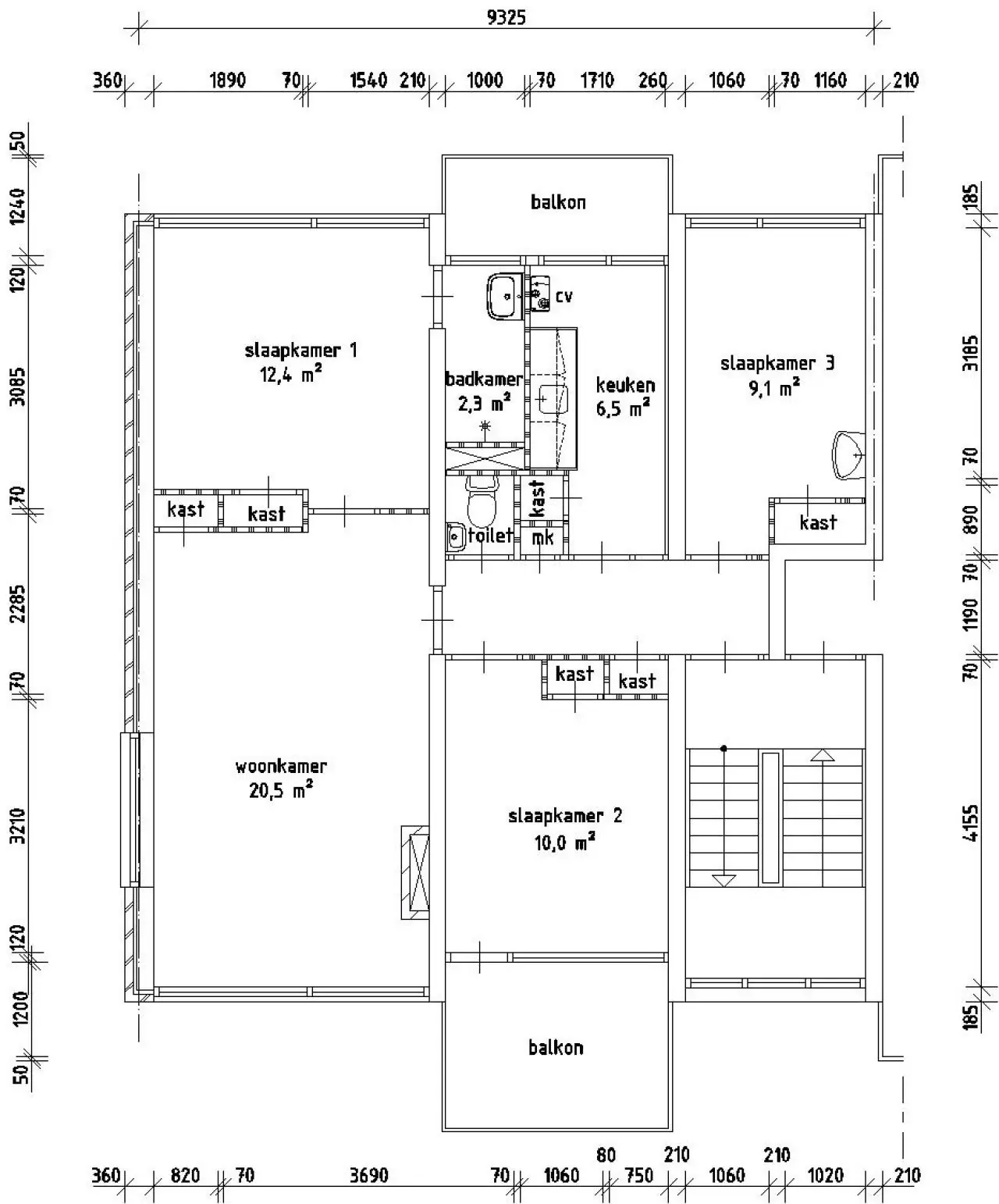
The layout comprises a living room of 20.50 square meters, a separate kitchen of 6.50 square meters, and three bedrooms measuring 12.40, 10.00, and 9.10 square meters respectively. The kitchen is arranged for electric cooking, as gas cooking is not possible in this home. The bathroom covers 2.30 square meters and is fitted with a thermostatic shower faucet. The three bedrooms provide flexible space for sleeping, working from home, or accommodating family members or guests.
Comfort and practicality are supported by several features throughout the apartment. Heating is provided by a central heating combi boiler, allowing for efficient warmth during colder months. The home includes a balcony, offering an outdoor space to enjoy fresh air directly from the apartment. In addition, an external storage room of 11.00 square meters is available, suitable for bicycles, luggage, or other belongings. An intercom system at the entrance adds convenience and security for residents.
The Marsdiepstraat is located in Den Helder, the northernmost city on the Dutch mainland in the province of North Holland. The surrounding area offers a mix of residential streets and everyday amenities, with shops, schools, and public transport connections within reach. Den Helder is characterized by its maritime heritage and its proximity to the North Sea beach and the Wadden Sea. The ferry connection to Texel departs from the city, adding to the appeal of the location. This combination of layout, amenities, and setting makes the apartment suitable for those seeking a home in a coastal environment.
Property Details & Features
Rental Overview
Price
€782.00
Frequently asked questions
Does the displayed rent include utilities and service costs?
Not necessarily. Luntero shows the rent and cost details supplied by the advertiser, but inclusions vary by property. Confirm the full breakdown with the publisher or on the original website before applying, including service costs, gas, electricity, water, internet, parking and any one-off fees.
Which documents will I need to apply?
The landlord or agency sets the requirements. Ask the publisher for the checklist, or follow the application instructions on an external listing’s original website. You may need identification, proof of income or employment, student documents or guarantor information. Check who is requesting sensitive documents and why before sending them.
Can Luntero tell me the status of my application?
No. Applications are handled by the advertiser, either through the contact details on a Direct listing or through an external provider. Luntero cannot see whether you were shortlisted, rejected or invited for a viewing. Ask the advertiser using the listing’s contact details or your application confirmation.
Can Luntero arrange a viewing or contact the owner for me?
No. Luntero does not own or manage the homes or arrange viewings. On a Direct listing, select “Contact publisher” to see the email and phone details provided. On an External listing, select “View original listing” for the provider’s contact and application options. Contact the advertiser yourself to arrange a viewing.
Why do details sometimes differ from the original listing?
For External listings, the provider may change or remove an advert after Luntero last collected it. Use the original website to confirm current availability, prices and application instructions. Direct listings are maintained by their publisher on Luntero; ask them to clarify any discrepancy. Report incorrect information on Luntero so it can be reviewed.
How do I contact the publisher or open the original listing?
The “Direct listing” label means the rental was published on Luntero. Select “Contact publisher” to see the supplied email and phone details. For rentals collected from other websites, select “View original listing” to respond there. Luntero does not receive rental applications or send enquiries for you.
How do I report an unavailable, incorrect, duplicate, or suspicious listing?
Open the listing and select “Report an issue”. Choose the closest reason and add useful details so Luntero can review the advert. For questions about your application or viewing, contact the publisher directly or the external provider you applied through.