À louer
Apartment Hoogeinde, Tiel - For Rent
Tiel
65 m²17,69 €/m² par mois, Loyer mensuel annoncé divisé par la surface2 pièces
1 150 €/ mois
À propos de cette location à Tiel
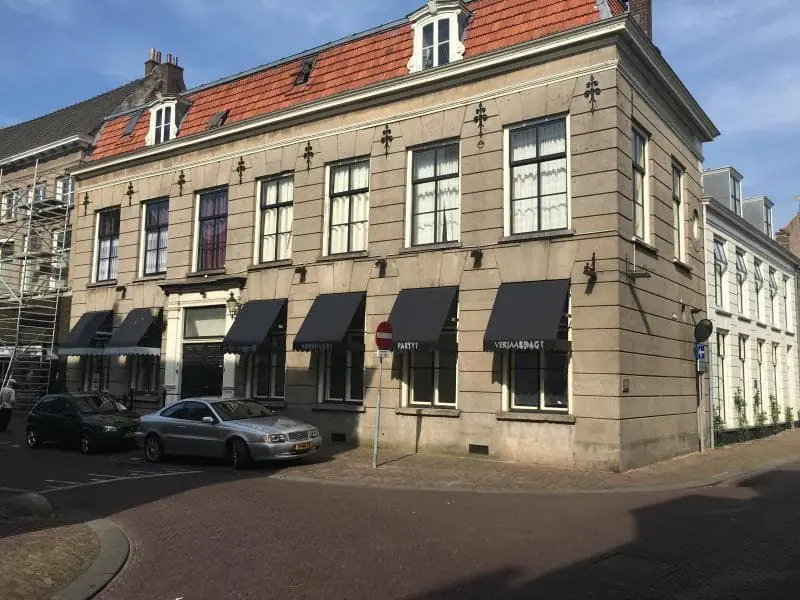
Unfurnished Two-Room Apartment in Monumental Building in Central Tiel
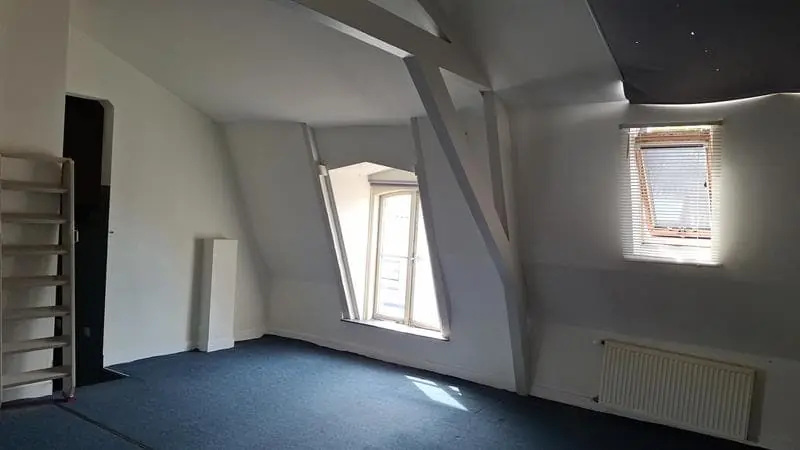
This unfurnished two-room apartment is located on the second floor of a monumental building on Hoogeinde, in the center of Tiel. The property offers approximately 65 m² of living space and is suitable for a maximum of two occupants. The building also contains five other residences, and residents enter through a reception portal featuring a granite floor. The apartment is offered with an indefinite rental period. Its position on the second floor places it above street level within a historic setting.
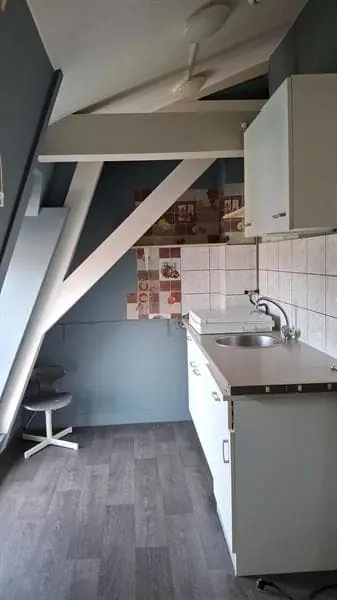
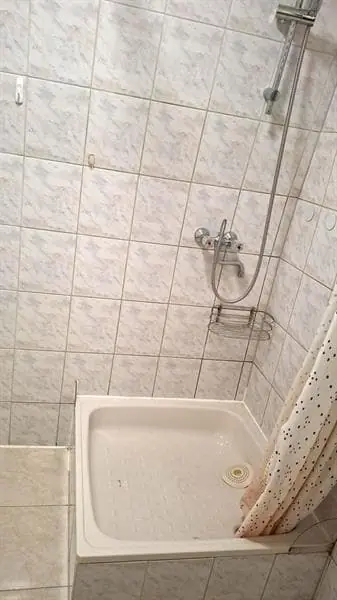
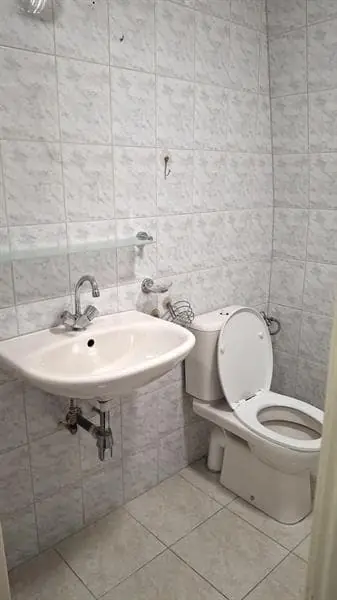
The layout consists of a living room, an open kitchen, and a separate bedroom. The bathroom is fitted with a shower, toilet, and washbasin, and includes a washing machine connection. The open kitchen connects directly to the living area, creating a practical flow between the spaces. As the apartment is offered unfurnished, it can be arranged entirely according to personal preference. The two-room configuration makes it suitable for a single occupant or a couple.
The apartment's location in the center of Tiel places a wide range of daily amenities within close reach. Tiel lies along the A15 motorway, providing straightforward connections to the wider region. The city is situated between the rivers Waal and Linge and the Amsterdam-Rhine Canal. This setting combines a historic town-center environment with accessible transport links. The surrounding area offers both the character of a compact city and proximity to the river landscape.
The rent is €1,150 per month excluding utilities. The total monthly cost amounts to €1,300, which includes gas, water, electricity, and service charges. The deposit equals two times the total monthly rent. Rent allowance is not possible for this property. Pets are not permitted, and the apartment is intended for a maximum of two residents.
Caractéristiques & détails du logement
Vue d'ensemble de la location
Prix
1 150,00 €
Disponible à partir du
21 octobre 2026
Montant du dépôt
2 600,00 €
Type de contrat
A
Exigences et préférences du locataire
Animaux autorisés
Non
Nombre maximum de locataires
2
Informations de base sur la propriété
Type de propriété
Appartement
Numéro d'étage
2
Espaces intérieurs
Chambres
1
Salles de bain
1
Équipements
Douche
Type de cuisine
Ouverte
Questions fréquemment posées
Le loyer affiché comprend-il les charges et les services ?
Pas nécessairement. Luntero affiche le loyer et les frais fournis par l’annonceur, mais les éléments inclus varient selon le logement. Avant de candidater, confirmez le détail auprès de l’annonceur ou sur le site d’origine : charges, gaz, électricité, eau, internet, stationnement et frais ponctuels éventuels.
Quels documents me faudra-t-il pour candidater ?
Le propriétaire ou l’agence fixe les exigences. Demandez la liste des documents à l’annonceur ou suivez les instructions de candidature sur le site d’origine d’une annonce externe. Une pièce d’identité, un justificatif de revenus ou d’emploi, des documents étudiants ou les coordonnées d’un garant peuvent être demandés. Vérifiez qui demande ces documents sensibles et pourquoi avant de les envoyer.
Luntero peut-il me communiquer le statut de ma candidature ?
Non. Les candidatures sont traitées par l’annonceur, via les coordonnées d’une annonce en direct ou un prestataire externe. Luntero ne peut pas savoir si votre dossier a été retenu, refusé ou si une visite vous a été proposée. Contactez l’annonceur via l’annonce ou votre confirmation de candidature.
Luntero peut-il organiser une visite ou contacter le propriétaire pour moi ?
Non. Luntero ne possède ni ne gère les logements et n’organise pas de visites. Pour une annonce en direct, choisissez « Contacter l’annonceur » pour voir les coordonnées fournies. Pour une annonce provenant d’un autre site, choisissez « Voir l’annonce d’origine » pour accéder aux options de contact et de candidature. Organisez la visite directement avec l’annonceur.
Pourquoi certaines informations diffèrent-elles parfois de l'annonce d'origine ?
Pour les annonces externes, le prestataire peut modifier ou retirer une annonce après sa dernière collecte par Luntero. Vérifiez la disponibilité, les prix et les instructions de candidature sur le site d’origine. Les annonces en direct sont tenues à jour par leur annonceur sur Luntero ; demandez-lui de clarifier toute différence. Signalez les informations incorrectes sur Luntero pour permettre leur examen.
Comment contacter l’annonceur ou ouvrir l’annonce d’origine ?
La mention « Annonce en direct » indique que le logement a été publié sur Luntero. Sélectionnez « Contacter l’annonceur » pour afficher l’adresse e-mail et le téléphone fournis. Pour les logements provenant d’autres sites, sélectionnez « Voir l’annonce d’origine » pour répondre sur le site concerné. Luntero ne reçoit pas de candidatures et n’envoie pas de demandes à votre place.
Comment signaler une annonce indisponible, incorrecte, en double ou suspecte ?
Ouvrez l’annonce et choisissez « Signaler un problème ». Sélectionnez le motif le plus adapté et ajoutez des précisions pour que Luntero puisse examiner l’annonce. Pour les questions concernant votre candidature ou une visite, contactez directement l’annonceur ou le prestataire externe auprès duquel vous avez candidaté.
Liens rapides
1 150 €
/ mois
 Voir l’annonce sur Kamernet